)
)
Teamwork.com March 2026 updates — Summary + key takeaways:
In this March 2026 product update, we're shining a spotlight on the latest and greatest Teamwork.com features. From a new project manager and personal assistant to take the burden off your most cumbersome tasks, to Custom Items and a fresh view transforming the way you work, it's all here.
Meet Scout and Flo, your new AI-powered teammates
This month, we introduced AI Teammates, a new set of built-in assistants designed to help your team plan smarter, execute faster, and reduce the manual work that slows projects down.
Unlike generic AI tools, AI Teammates are purpose-built for client work and operate directly within Teamwork.com, using your real project data—no setup, training, or prompting required.
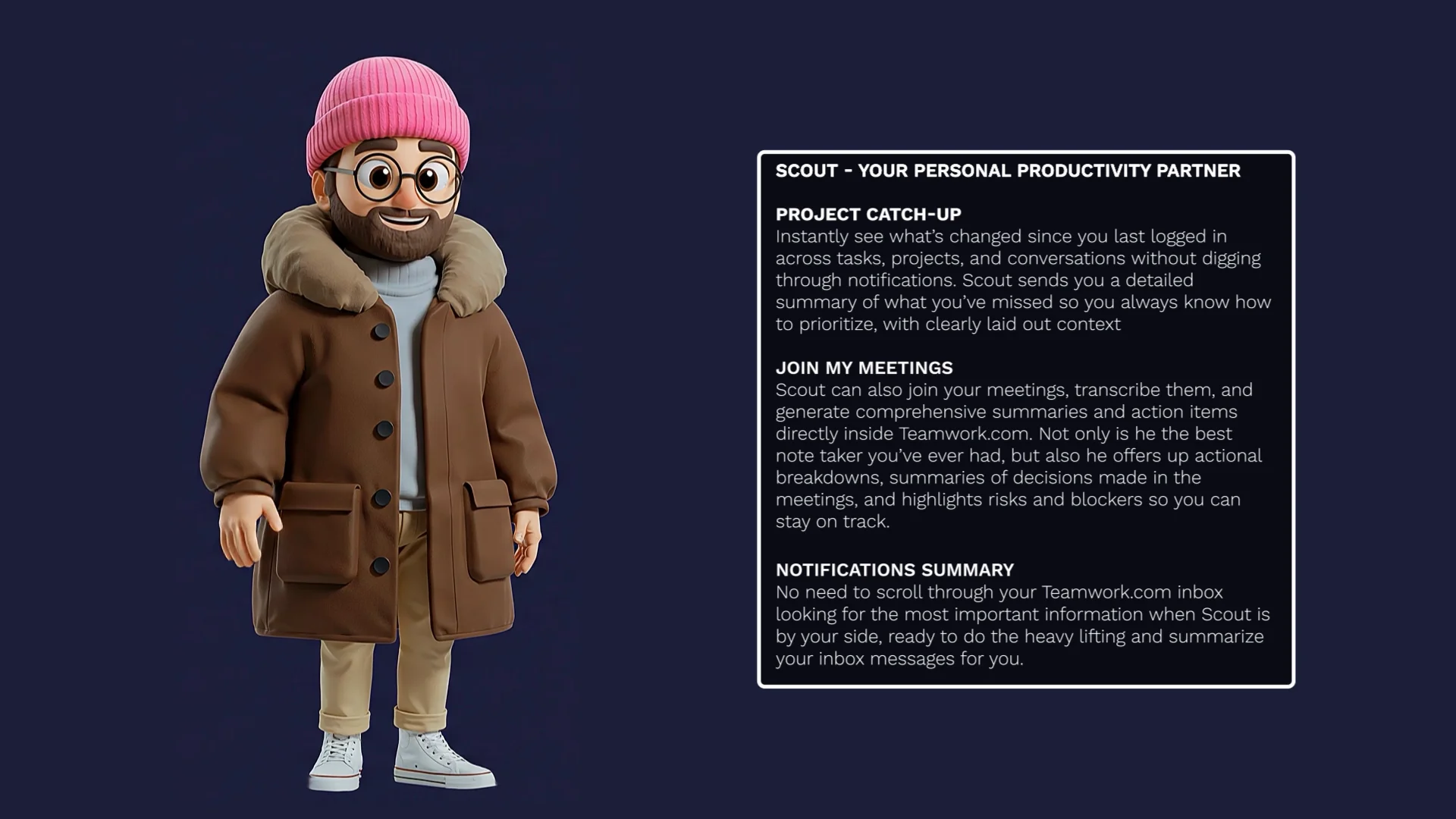
Scout — your personal productivity partner
Scout helps you stay on top of your work by cutting through the noise. He can generate catch-up summaries across projects, summarize inbox notifications, and even join Google Meet calls to create transcripts, summaries, and action items directly in Teamwork.com.
Transcript for the video 'What are Teamwork.com AI Teammates? Introducing Scout and Flo':
Work moves fast, updates pile up. Keeping track shouldn't slow you down. Meet your AI teammates. First, meet Scout, your personal productivity partner. Scout helps you stay on top of work by cutting through the noise across things like your tasks, projects, conversations. Scout can even join your meetings, generating summaries, and clear action points directly inside Teamwork dot com. And with Scout by your side, there's no need to endlessly scroll through your inbox. Scout does the heavy lifting for you. Next, meet Flow, your project management partner. Flow helps you understand project health using real data from your projects. Need to update a client? Flow can generate clear professional updates in seconds, helping you stay proactive while keeping your clients in the loop. We're building a growing team of AI teammates, each designed for a specific role. Try AI teammates today.
Flo — your project management powerhouse
Flo helps you run better projects with less manual effort. She can perform project health checks using real-time data and generate clear, client-ready updates based on selected project information—making stakeholder communication faster and more consistent.
Stay tuned in the next few weeks as we roll out the next AI Teammate, all about customizing your unique workflows!
Available on all plans
Go beyond tasks and projects with Custom Items
With the introduction of Custom Items, get ready to unlock a whole new way to use Teamwork.com.
Until now, Teamwork.com has been the place to manage your projects and tasks. With Custom Items, it becomes the place to manage everything around them too. Think contracts, onboarding, assets, requests, approvals—if your team tracks it, you can now build it directly in Teamwork.com.
)
So what actually changed? For one, you’re no longer limited to tasks and projects. With Custom Items, you can create entirely new types of work tailored to your business—structured exactly the way you need them, with the fields, views, and workflows that make sense for your team.
No more bending your process to fit the tool. Now the tool fits you.
You can now use Teamwork.com to:
Track contracts and approvals alongside delivery work
Manage internal requests without separate tools
Organize assets, processes, or operational workflows
Build systems that actually reflect how your business runs
Available on all plans
Take a peek at the latest Teamwork.com view—Everything Table View
A consolidated, fully customizable table experience across all of your projects? Look no further than the brand new Everything Table View, the latest view to join Teamwork.com’s family of views.
This new cross-project table gives you the visibility, flexibility and control you need as your projects (and clients) grow.
)
We’ve been making some meaningful improvements to make this view ready for you, and we’re proud to officially launch it with some key highlights, including:
Project type – New column & filter (to denote Tentative vs Confirmed Projects)
Workflow column – Displays associated workflow per task/project
Improved group context – Breadcrumb-style company/client + project info
Add Custom field – Create directly from the Columns menu (permission-based)
We’ve also added more powerful sorting options, which include:
Task details: Task name, Priority, Assignee, Stage
Dates: Due date, Start date, Date created
Project context: Project, Task list
Estimation: Estimated time
Custom fields: Number, Date, Dropdown, Status
So what does this mean for you ultimately?
It’s much easier to find and prioritize the right work quickly!
Better visibility across multiple projects in one place
Less time spent filtering or reconfiguring views
Available on all plans
What to know about Client Role Rates
Now you can set and manage specific rate variations for each client and role giving you greater flexibility and control over how work is priced. Thanks to Client Role Rates, you can ensure that what you bill reflects the unique commercial terms you’ve agreed to with each client.
)
By aligning role rates to individual clients, you get better pricing consistency, improved revenue accuracy, and clearer visibility into profitability across every engagement. It’s a smarter way to manage rates that supports both your business needs and your client relationships.
Available on Scale plans
New in Teamwork Desk: Shareable Tickets and richer exports
Desk users, rejoice! We’ve introduced Shareable Tickets, which lets you share an individual ticket to users who don’t have access to an inbox. This allows you to control the visibility of individual tickets and cater to better collaboration, but without needing to grant full inbox access.
)
Let’s say you need another team to collaborate without giving them access to an inbox. Or maybe a ticket needs to be in multiple inboxes. Shareable Tickets help you achieve the same outcome.
Plus another delighter for you: We’ve added the option to include first messages when exporting tickets, making it easier to pull a list of feedback tickets and see the specific feature requests in one view.
By adding the first message to the export options, you’ll get "why" behind the data, helping you when it comes to:
Trend analysis: Categorizing issues based on actual customer language.
Sentiment audits: Seeing how conversations start.
Executive reporting: Providing concrete examples of customer pain points in a single spreadsheet.
The next time you navigate to Reports and triggers an export, you’ll see a new checkbox for Include First Message in the export settings. From there, the resulting CSV file will include a dedicated column containing the full text of the initial inbound message.
Faster client insights, right at your fingertips (and without filtering)
Those of you with eagle eyes might have noticed a new Reports tab we’ve introduced in the Clients View, allowing you to quickly access and download reports for specific clients directly from a client's profile.
)
That means:
No filtering needed: Get faster insights without the manual setup
Contextual reporting: Access data directly at the Client level where you need it most
Note that Admins can see all of the client’s projects returned in each report, while Project Admins will see the Reports tab if they’re an admin on at least one project belonging to that client, and they’ll only see data for the specific projects they manage.
Sign up for early access for our latest enhancement to Roles
We’re excited to announce the upcoming Tasks Assigned to Roles—and we want you to help shape it! We're looking for participants to join our Early Access Program and be among the first to experience role-based task assignment.
Sign up here and we'll be in touch with how you can get up and running with this feature in early access.
Don't forget! A new look and feel is coming soon...
In case you missed it, we’re in the process of gradually rolling out a new look and feel to Teamwork.com. These changes are based on customer interviews, feedback, and insights, and we’re excited to get them on your screens soon.
)
Get the scoop on all the changes here.
Be the first to see what’s next for Teamwork.com
Spring is in the air and the next Teamwork.com Product Roadmap Webinar is just around the corner! Join us on Thursday April 30th to learn about the new features and enhancements we’re making, and participate in a live Q&A with our Product Managers.
)
)
)
)
)
)
)