Recent releases and future features
Here's everything we've shipped lately—and what we're currently working on.
With "Plan my week," AI Teammates just took weekly planning off your plate
)
Meet "Plan my week," Scout's newest job and the fastest way to turn a pile of tasks into an actual, workable schedule—all thanks to the automated power of AI Teammates.
Financial insights in Scheduler
)
Four new widgets inside a customizable insights bar will help you further understand cost and profit impact while scheduling. The 4 widgets include:
Forecasted cost
Expense costs
Total cost
Forecasted profit
A fresh look has come to Teamwork.com
)
Get excited: Teamwork.com has gotten a refreshed look and feel! You’ll notice a cleaner, less busy UI that’s designed to help you move through your work with less friction and more focus. Not only that, but a customizable navigation will make tailoring your in-app experience to your individual workflow a cinch.
June 2026 quality of life improvements
)
With notification filters, color coding time entries, and Private Forms, these three small but mighty updates shipped in June are here to make working in Teamwork.com that much easier.
What's new in Teamwork.com | June 2026
)
Whether it's building out project plans before staffing is confirmed, locking in exchange rates that match your finance team, or a cleaner Task Details experience on the horizon, this month's releases are all about giving you more control and less noise.
Assign a task to a Role
)
Assign project tasks to roles to help teams plan, and schedule work before staffing is confirmed, then seamlessly reassign to real users. Helping you build out a full project plan even if you haven’t confirmed exactly who will do the work yet.
Global Quotes View
)
Manage all your Quotes in a new global view so you can oversee mass status at a glance. Easily drag and drop Quotes from one column to the next in board view, or use table view for a classic layout. Better track Quotes status (draft, open, accepted, rejected, and expired) across all clients and projects in one centralized place.
Quote templates
)
Save your most-used quotes as reusable templates or create new quote templates from scratch. Pull one off the shelf and only tweak the minor details.
Build a library of reusable quotes for common services
Spin up a new quote from a template in seconds, then edit only what's changed
Keep pricing, line items, and terms consistent across your company
Introducing the new AI Project Wizard: faster, smarter, and built around your feedback
)
We've rebuilt the AI Project Wizard experience from the ground up—adding additional enhancements and taking your feedback into account—to make project planning feel more collaborative and intuitive.
Custom exchange rates
)
Set custom exchange rates for more control and predictably within your multi-currency setup. We’ll showcase the daily market exchange rates for reference, but now you can honour any direction from your finance team. Set your own exchange rate to keep things more stable and accurate, according to your own accounting practices.
What's new in Teamwork.com | May 2026
)
May was our busiest month yet, with revamped features (AI Project Wizard), enhanced functionality (Zoom and Teams support for AI Teammates), and plenty of small but mighty wins to celebrate (a new Reports gallery, importing/exporting Custom Items, and more).
See what matters (the way you want to see it) with the Project Health Insights Panel
)
Gain deeper visibility into your projects with a brand-new Insights Panel in the Project Health Report:
Customize your report with visualizations that highlight the most important data points
Surface new insights not previously available in the Project Health Report, including risks, milestones, and financial and estimation data
Dive deeper into your data by interacting with widgets via additional popovers for more detail
Fine-tune your view by adjusting visualization methods or applying conditional formatting
Quote Settings
)
Add both context and standardization to quotes with a brand new Quote Settings menu which includes 4 customizations:
Auto-generate quote names
Choose a default rate type to use (User, Role, Client Role)
Add a statement of work section before line items
Add a blank signature field on PDF exports
How Claude works with Teamwork.com (and why it matters for your team)
)
If you're a Claude user and you're wondering how you can use it to act on your project data within Teamwork.com, you've come to the right place. Check out this step-by-step quickstart guide for connecting Claude using our MCP server.
What's new in Teamwork.com | April 2026
)
Our roundup of what we launched this month includes a new Insights Panel for your key project data, a seamless connector for Claude Cowork users, and more visibility over your Scheduled Reports.
Faster client insights, right at your fingertips (and without filtering)
)
We've introduced a new Reports tab right within the Clients View, allowing you to quickly access and download reports for specific clients directly from a client's profile. Best of all, no filtering is required on your part—you can get straight to the insights without any manual setup.
Control the visibility of individual Desk tickets with Shareable Tickets
)
Desk users, rejoice! We’ve introduced Shareable Tickets, which lets you share an individual ticket to users who don’t have access to an inbox. This allows you to control the visibility of individual tickets and cater to better collaboration, but without needing to grant full inbox access.
Take a peek at Everything Table View
)
A consolidated, fully customizable table experience across all of your projects? Look no further than the brand new Everything Table View, the latest view to join Teamwork.com’s family of views. This new cross-project table gives you the visibility, flexibility and control you need as your projects (and clients) grow.
What's new in Teamwork.com | March 2026
)
This month's updates include a new project manager you don't have to onboard (yep, you read that right). Plus, Custom Items and a fresh view are also here to transform the way you work.
Client Role Rates
)
Set specific billable rates for each role in your organization at the client level. Unique to every client, you'll be able to uphold commercial agreements and have more discreet control over whether a person’s logged time is charged out using their standard rate, project rate, role based rate or client based rate.
Introducing AI Teammates: Your new AI-powered helpers in Teamwork.com
Transcript for the video 'What are Teamwork.com AI Teammates? Introducing Scout and Flo':
Work moves fast, updates pile up. Keeping track shouldn't slow you down. Meet your AI teammates. First, meet Scout, your personal productivity partner. Scout helps you stay on top of work by cutting through the noise across things like your tasks, projects, conversations. Scout can even join your meetings, generating summaries, and clear action points directly inside Teamwork dot com. And with Scout by your side, there's no need to endlessly scroll through your inbox. Scout does the heavy lifting for you. Next, meet Flow, your project management partner. Flow helps you understand project health using real data from your projects. Need to update a client? Flow can generate clear professional updates in seconds, helping you stay proactive while keeping your clients in the loop. We're building a growing team of AI teammates, each designed for a specific role. Try AI teammates today.
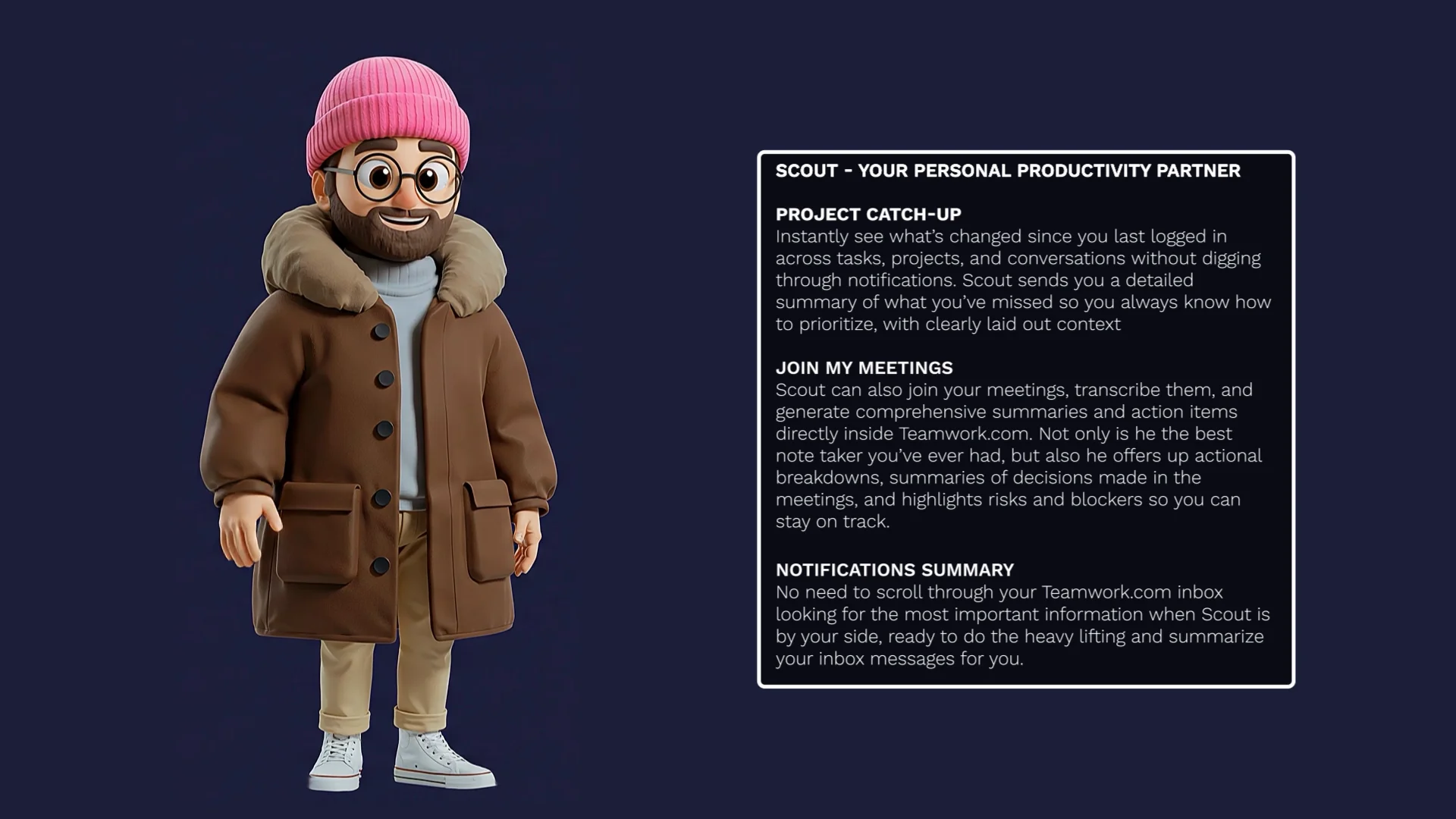
Meet Scout and Flo—two new intelligent assistants built directly into Teamwork.com to help you plan smarter, execute faster, and deliver more. They understand your unique Teamwork.com context—your clients, projects, timelines, and workflows—and are powered by your actual project data to give you real help right when you need it.
Manage work your way with Custom Items
)
With Custom Items, Teamwork.com has become more adaptable than ever, expanding beyond project and task management to help you capture any type of work or information in one place. Whether you’re tracking contracts, assets, inventory, employees, or anything else that defies simple categorization, Custom Items give you the power to organize, view, and manage exactly what matters to your team right inside your projects.
What's new in Teamwork.com | February 2026
)
This month, we're turning "what ifs" into reality with new features that cover everything from forecasting pipeline demand, AI-powered custom reports, and giving your in-app working experience a glow-up.
Quote enhancements
)
Have more control over line items to create even more customizable Quotes. Understand your margins as you build to ensure a profitable project, and swiftly convert to a real project with all the details.
Add multiple taxes and assign discounts per line item for more granular control
See gross margin and net margin per line item (and keep this internal only)
Create a tentative or confirmed project directly from your Quote, mapping your line items to allocations, tasks, or expenses
… and more!
Tentative Projects
)
Map out work before it’s confirmed. Plan with flexibility, explore ideas, and prepare your team without committing to exact timelines or resources. Tentative projects also:
Will have a dedicated Schedule tab where you can begin allocating resources on likely work
Can be synced with Hubspot to automatically update project status from your CRM
Can be converted into a template or can be created using an existing template
...and more!
Meet your new favorite view—Timeline!
)
We’re excited to announce the release of Timeline: a modern, reliable, and visual project view that makes it easier than ever to see your tasks, milestones, and dependencies at a glance.
What's new in Teamwork.com | January 2026
)
We're starting 2026 up and running with a fresh slate of product updates. This month's roundup includes a long-awaited Timeline view, clearer planning capabilities across the platform, and new visibility enhancements to Desk.
Outlook Calendar integration in Planning views
)
See the full picture of your team’s true availability with Outlook Calendar events pulling directly into where you plan resources and timelines. The Workload Planner, Resource Scheduler, and Overview just got a whole lot smarter!
Clearer, more accurate budgeting is here with the Budget Insights Report
)
A brand-new, site-wide report is here to help you understand budget performance at a glance, without the manual project-by-project digging.
Role Rates are here
)
Set and manage rates for each and every Role in your organization making rate management easier, organized, and customizable. More rate flexibility will keep your planning sharp, your finances clear, and your billing accurate.
What's new in Teamwork.com | December 2025
Transcript for the video 'Teamwork Product Update 2025':
Hi. I'm Jane, head of product at Teamwork dot com. This year, we focused on making planning your work and resources a little easier, as well as helping you stay on top of your profitability. Besides some great AI features, such as instantly creating a project from a client brief and AI SmartAssign, which instantly helps you select the right person for the right job. Here's some more highlights. Resource management got a big boost this year. From adding skills to further specialize your team, to scenario planning with placeholder resources, to automatically seeing regional holidays with time off. It's now easier than ever to plan like a pro. And not to mention Google Calendar sync. That pulls meetings and events directly into where you manage your team capacity. How's that for accurate availability? Workflows lets you define a set of board stages and automations and apply them across multiple projects. Set it up once, reuse it everywhere, and get a consistent way of working across your team. That means less manual setup, fewer mistakes, and a unified view of work across all of your projects. Multi currency lets you manage clients, projects, and billing in multiple currencies all within Teamwork dot com. You set the currency once at client level, and everything just works, from budgets to time logs, invoices to expenses. Teams can log their time in their local currency. Teamwork dot com looks after the conversion, and your financials can stay accurate. That was a brief look at some of the highlights over twenty twenty five, and you are going to love what's coming in twenty twenty six. Right now, I probably shouldn't even do this, but I'm gonna give you a quick look at what to expect with our brand new overhaul of tentative projects, which will allow you to plan early to understand margins and identify any risks with upcoming work. You'll be able to run what if resourcing scenarios without disrupting any delivery teams. Bridge the gap between your upcoming CRM pipeline and not to mention more confident forecasting.

We’re taking a quick look back at some of our favorite product releases from this year. Plus, get a little teaser of something big coming your way in 2026!
Two standout additions to Time Approvals
)
You asked, we listened. Now you can assign specific approvers to individuals or teams so you only see timesheets for those that report to you. Secondly, approved timesheets now lock automatically, preventing further unwanted changes—phew!
Get to know SLA Policies in Teamwork Desk
)
Easily set up, manage, and track first-time response agreements with clients—complete with countdown timers, breach alerts, and prioritization tools to keep your team on track and clients delighted.
Upgrades to Quote creation and conversion
)
Create Quotes faster using your existing Project or Task List Templates, then once approved, instantly convert them into Projects with all the right tasks.
What's new in Teamwork.com | October 2025
)
With a new ChatGPT Connector, smoother planning capabilities, and a cool global-friendly feature, you’ll zip from idea to "done" in record time (and actually enjoy the ride). Vroom vroom!
Think global, bill local with Multi-currency
)
Set different currencies for clients and team members to streamline financial management of your global workforce. With automatic conversions, accurate profitability reporting, and localized invoicing, Multi-currency flexes with your financial reality.
Move from idea to execution faster with the Teamwork.com-ChatGPT Connector
)
With the new Teamwork.com-ChatGPT Connector, you can securely bring your projects, tasks, and updates into ChatGPT, making it easier to plan, write, and collaborate without switching tabs.
Google Calendar integration in Planning views
)
See the full picture of your team’s true availability with Google Calendar events pulling directly into where you plan resources and timelines. The Workload Planner, Resource Scheduler, and Overview just got a whole lot smarter!
What's new in Teamwork.com | September 2025
)
September brought exciting updates to how you work in Teamwork.com—from forecasting your project profits with the click of a button, to managing multiple projects in harmony, to letting AI actually do the busywork for you.
Individual inbox triggers have landed
)
You can now set up triggers for your individual inboxes , making it easier than ever to automate actions on your own emails. Head to your individual inbox settings to get started.
Manage work across multiple projects the smarter way with Workflows
)
Get a clear, consistent picture of progress across multiple projects with Workflows, helping you track work through each stage and manage tasks across different projects in one place.
With AI Profitability Forecaster, your crystal ball for profitable projects has arrived
)
With one click, AI Profitability Forecaster transforms your historical data into forward-looking predictions for revenue, costs, and profits, giving you the clarity to make confident decisions today about tomorrow.
Meet the new AI Smart Scheduler: The fastest way to match people to projects
)
Find the perfect fit for every allocation, prevent double bookings, and spin up tasks so projects run smoothly—giving you more time to focus on people and projects (not mundane tasks).
What's new in Teamwork.com | August 2025
)
With two new powerful AI features and several enhanced reporting capabilities, our August roundup is closing out the summer with a bang.
Introducing the Teamwork.com MCP server—the next leap for TeamworkAI starts here
)
Ever wished your AI assistant could actually do the busywork in your projects? Now it can. With our new MCP server, we've created an AI infrastructure that's purpose-built for client-service workflows, letting you interact with Teamwork.com data right where you work.
Turn client briefs into projects in seconds with AI Project Wizard
)
If you've ever wanted someone else to do the grunt work of building a project for you, the latest feature from TeamworkAI is here to come to your rescue.
Charting chaos into utilization zen
)
A brand new chart in the Utilization Report gives you a crystal-clear view of your team’s productivity. Enjoy a more visual way to see where you're nailing it or where you need a boost.
Powerful new reporting tools to track, compare, and calculate
)
From new formula types and budget columns to a brand new option to track trends, we're helping you keep an eye on your bottom line with these updates.
Sync Outlook with Teamwork.com for a complete view of My Calendar
)
Good news for Outlook users—you can now connect My Calendar to see tasks, schedule focus blocks, and log time in one place without switching tools.
What's new in Teamwork.com | July 2025
)
Whether you're assigning tasks, leaning on AI to balance workloads, or managing global teams, our July updates are designed to lighten your load (it is summer, after all).
AI Filter Assistant and AI Utilization Summary have landed
)
We’ve launched two new AI-powered features that are designed to help you spend less time clicking around, so you can focus faster and make smarter decisions.
Your new favorite reporting tool just dropped (no math degree required)
)
With the new Advanced Formula Builder, you can go beyond the basics when it comes to Custom Reports. Get the tools at your fingertips to build out complex custom calculations with ease—even if math isn't your strong suit.
Ensure complete project setup with Required Custom Fields
Capture critical project information (like client type or region) every time a project is created, so you never have to worry about inconsistencies in your data or missing key details during the setup process.
What's new in Teamwork.com | June 2025
)
From turning proposals into projects to gaining deeper insights and ensuring consistency, our June updates give you more control, clarity, and confidence right from the get-go.
A new way to create and manage public holidays
)
Time Off helps you manage your team’s public holidays in a simple, scalable, and centralized way, ensuring a more accurate view of availability when it comes to resource planning.
Introducing Quotes
)
Create professional and customizable Quotes for clients (right within Teamwork.com!) before any project work begins so things are set up for success.
Meet your new superpower: AI Comment Summarization
)
With just one click, our new AI feature instantly distills lengthy comment threads into concise, easy-to-digest summaries.
Unleash the full power of your data with Advanced Reporting
)
Advanced Reporting lets you build exactly the report you need, your way—letting you combine, transform, and calculate your data on the fly.
What's new in Teamwork.com | May 2025
)
Whether you're deep in the data, streamlining workflows, or keeping your team aligned with less effort, these latest enhancements are designed to give you more control, more insights, and more time back in your day.
What to know about custom expense categories
Create custom expense categories tailored to your business. Enjoy more specificity when logging expenses so things are as accurate as possible.
AI time logging
)
Log time in plain language and let AI draft your time entries! All you need to do is describe what you worked on, preview the suggested time logs, and submit! Not to mention, we'll populate the most recent tasks you interacted with for one-click time logging.
Dual budgets
)
Need a budget with two dimensions, hours and fees, tracked simultaneously against a single commercial agreement? With dual budgets, you'll get one budget, but with two views. This means you can set both an hours target and a fee target on the same project budget, better matching how agency and professional services work is actually managed.
A streamlined Task Details experience, shaped by your feedback
)
The new Task Details experience focuses on simplifying the visual layout of tasks, improving consistency, and better organizing the interface to cut out unnecessary noise.
Custom Dashboards
)
Build a dashboard on a blank canvas, allowing you to create a single source of truth with the info you need.
Each team member can create a dashboard with the information they need to get their work done
Identify issues, risks, actions, and blockers at a glance by surfacing the information you need in one place
Choose from a wide-ranging library of widgets across many data points
Client Overview Dashboard
)
Understand client performance at a glance with a customizable dashboard in the Client Overview area.
Fully customizable dashboard, allowing to you to surface only the insights you need
Chart layout options enable you to choose the correct layout for your data (table, pie chart, donut chart, etc.)
Resizable widgets, giving you the power to build exactly the view you want
Multi-channel updates with AI Teammates
)
Today, every AI Teammate output lands in a single, blended stream, making it hard to find, read, or act on what matters. Soon, each job instance will have its own dedicated channel for easier search and readability without context switching.
Draft ticket responses with AI
)
Securely connect your help docs, public policy links, and even your history of resolved tickets. From there, your dedicated Desk AI Teammate will generate high-context, accurate drafts instantly.
Timeline V2
)
See the 'flow' of work from start to finish in a modern and highly visual way. Timeline gives you that bird's-eye view, but with the reliability and speed you expect. Our version two will build off the new and improved Timeline, while offering support for specific Gantt functionality, like:
Critical path support
Exporting to PDF
Drag and drop dependencies
... and more!
Placeholder users
)
Placeholders are getting an upgrade to behave much more like actual users—globally across your whole system. Here are some improvements to watch out for:
Add the same placeholder across multiple projects
Assign working hours, cost rates, and billable rates
This will help:
Plan future hires more realistically
Model project schedules before roles are filled
Identify true headcount gaps earlier
Task-email integration
)
Email clients directly from tasks with an all-new email integration for Outlook and Gmail. Perfect for keeping email and internal comments separate, while bringing visibility to client communication and making sure your whole team is aligned.