)
)
Key takeaways
AI time logging drafts today's time log from the tasks you've actually touched in Teamwork.com, so most of your timesheet is done before you open it, and fewer billable hours quietly disappear.
Type or speak in plain language to add anything missing, or ask what you haven't logged yet, so every billable hour gets captured while it's fresh, not chased down weeks later.
Every draft stays editable and nothing saves until you click Log time, so accurate billing data stays in your hands, not the AI's.
Open the Log Time modal in Teamwork.com, click over to the Log my day tab, and the entries are already there: an hour on a client kickoff call, thirty minutes on competitor research, two hours drafting a homepage design. Teamwork.com built each of these from the tasks and projects you actually worked in today, before you typed a single word.
That's a bigger shift than it sounds. Time logged late or reconstructed from memory means missed billable hours and messier margins on real client delivery, the kind of gap that quietly erodes how much finance can trust the numbers in front of them. The fix isn't asking people to try harder at something they already avoid: it's removing the blank form and the guesswork entirely. AI time logging skips the reconstruction, and hands back the time and headspace that used to go into it.
Curious to see it in action? Watch the video below.
Transcript for the video 'AI Time logging 2.0':
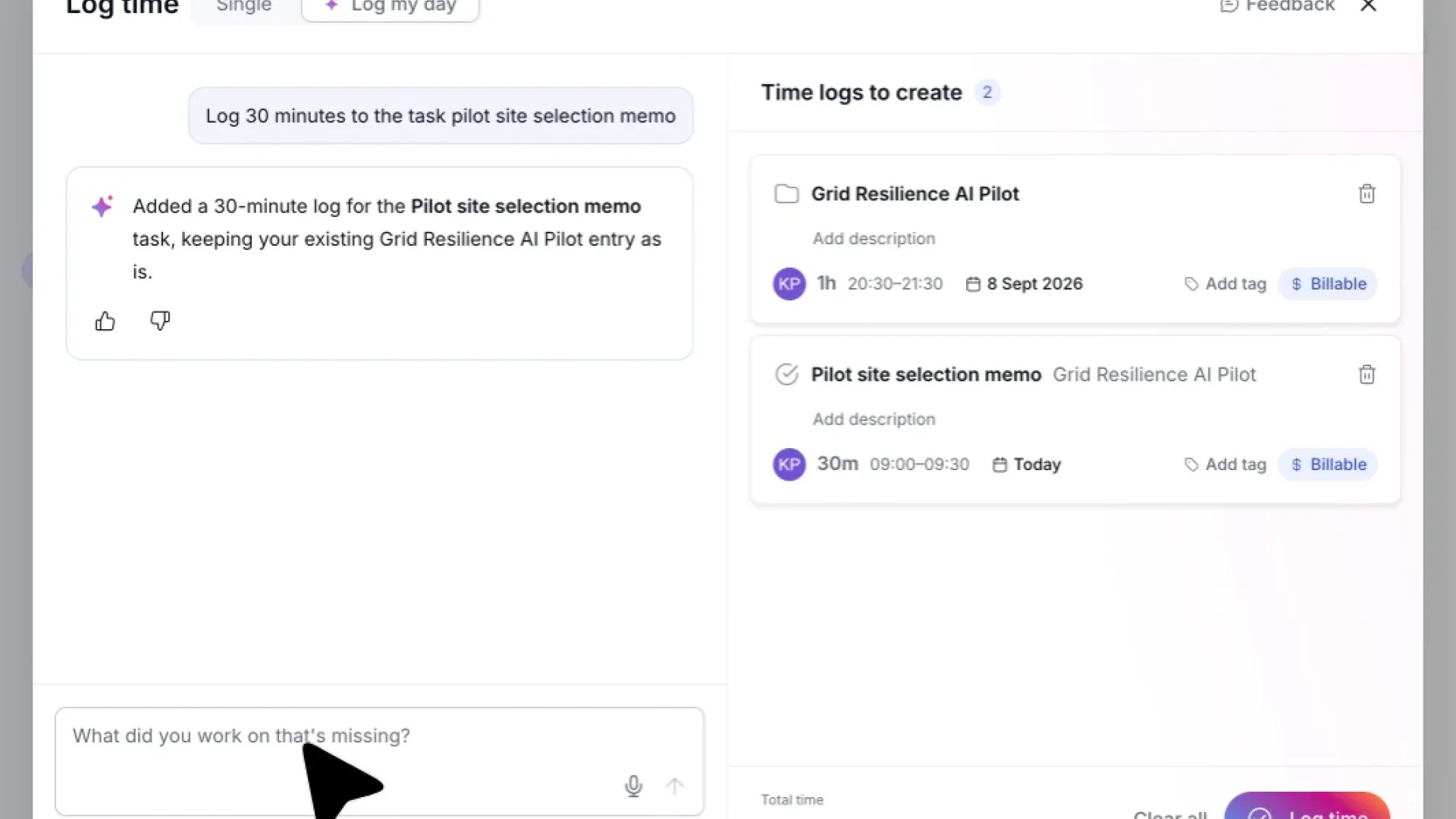
Today, I'll show you a faster way to keep your timesheet up to date with our AI Time Logging. First, let's hit this quick Add button here. From this menu, we'll choose Log Time, since that's what we're focused on today. Instead of entering everything manually, I'll click Log My Day. This lets the AI take a look at your recent activity and put together time entry suggestions for you automatically. On the right, you will see suggested time logs based on tasks you worked on that day. If you notice something's missing from those suggestions, just type it right here in the message box. The AI will pick up on it and create the entry for you. And just like that, here's the new entry the AI put together based on what I typed. Now we just need to review it and make sure everything looks right. If this entry isn't tied to the right task or project, no problem. Just click on the name here, and we can switch it to something more accurate. On the time logs that have just added, you can edit or add more information, such as the description, tags, and dates. Let's add one more piece of work to this log. I'll describe it in the chat box, and the AI will generate a brand new time entry based on what I say. Here's something worth pointing out. This new entry is flagged needs attention because the AI couldn't confidently match the description to an existing project. To fix that, we'll click into the Project field and get this entry assigned to the right place. From the list, I'll select Carbon Credit Verification with AI since that's the project this work actually belongs to. Next, let's click into the task field so we can pin this time to a specific piece of work. Since there isn't an existing task that fits, we'll click Add New Task to create one on the fly. Now I'll click Create Task, and this new task gets saved right under the Carbon Credit Verification with AI project. With that task linked, our entry is fully resolved and no longer needs attention. Everything's accounted for and ready to log using the log time button on the bottom right. And that's it. You've reviewed AI suggested entries, filled in a missing one, created a new task, and logged 4.5 of work, all in one smooth flow. Feel free to replay the walk through anytime you'd like a refresher.
Your day arrives already drafted
AI time logging looks at the tasks and projects you've touched, then builds a suggested time log for each one, fully editable, with a running total so you can see the shape of your whole day, and how much of it is billable, before you commit to any of it.
None of this asks you to remember what you did. It asks you to recognise it, which takes seconds instead of the dread of opening a blank Log Time form and trying to piece together a day you can barely remember. That's real time and mental energy back, every single day.
Activity alone doesn't capture everything, though, which is where AI time logging's other trick comes in.
Fill in the gaps, in your own words
Not every hour comes from activity data. Meetings, calls, and ad hoc requests don't always leave a trail inside Teamwork.com, so AI time logging also takes plain language, typed or spoken. Describe your work the way you'd tell a colleague, for example "Spent two hours updating the homepage design for the Acme project," and Teamwork.com works out the project, task, duration, description, and billable status, then adds it as another draft alongside the rest.
The same input handles the opposite problem too: the hours you forgot to log at all. Ask what you haven't logged this week, or which client's hours are missing, and Teamwork.com checks your activity against your existing time logs to surface the gap, rather than leaving it for finance to chase down a month later.
Nothing logs until you say so
By now, Teamwork.com might have drafted a dozen entries between your activity and what you've described, and none of them are real yet. Change anything on a draft, or delete it if it doesn't belong there at all: a draft only becomes a real time log the moment you decide it should, by clicking Log time yourself.
That distinction matters more than it sounds. The hours behind client delivery decide what gets billed, how a project's margin holds up, and how much finance can trust the numbers in front of them. AI time logging doesn't ask anyone to get better at tracking time, it asks them to confirm what Teamwork.com already saw them do, and that's what makes accurate, same-day logging realistic instead of aspirational.
Next time you open Log Time, head to the Log my day tab before reaching for the blank form. There's a good chance your day, and a healthier chunk of this month's billable hours, is already halfway logged.
)
)
)
)
)
)
)
)