)
)
Accelo alternatives: summary & key takeaways
Why teams leave Accelo: Per-user, per-module pricing climbs fast, real-time profitability can feel thin, and the setup curve is steep for growing firms.
What these tools do: The best Accelo alternatives connect projects, time, billing, resourcing, and client collaboration so client work stays on track and on margin.
The client-work angle: This list is written for professional services teams, agencies, consultancies, and IT services firms, not generic task management.
What you get: Nine tools reviewed with honest strengths, real limitations, and live-verified 2026 pricing, so you can shortlist and switch with confidence.
Accelo does a lot for service businesses, and for smaller teams with simple needs it holds up fine. But I hear the same story often: the per-module bill creeps up, finance still lives in spreadsheets, and onboarding drags longer than anyone planned. That is usually the moment a firm starts shopping.
Before I joined Teamwork.com, I spent years directing teams inside agencies, so I have felt this exact pinch. The tool that runs your client work shapes how accurately your whole business runs, and outgrowing it is not a small inconvenience. It shows up in missed margin, chased timesheets, and reporting that arrives too late to act on.
There is data behind the frustration. In Teamwork.com's 6 Strategic Shifts for 2026 research with more than 1,000 senior leaders, fragmented tools kept surfacing as the core problem, with 50% naming data management and reporting their single biggest frustration with their current tech. When your tools do not talk to each other, your data does not either. Here are nine Accelo alternatives worth a serious look, starting with the one I know best.
What is Accelo, and why look for an alternative?
Accelo is a professional services automation (PSA) platform that pulls client management, project tracking, time, and recurring billing into one system for agencies, consultancies, and service firms. For a full primer on the category, our guide to professional services automation breaks down what PSA software actually does, and our roundup of the best PSA software covers the wider field.
Most teams start searching for an alternative for a few consistent reasons:
Pricing that climbs: Per-user, per-module pricing gets expensive as headcount and needs grow.
Thin financial visibility: Real-time profitability and budget-versus-actual data often still need a manual export.
Setup and adoption drag: The learning curve slows time-to-value, especially for lean teams.
Reporting gaps: Getting the numbers leaders actually want can take more digging than it should.
How I picked these Accelo alternatives
I evaluated each tool the way I would have shortlisted one back in my agency days: by whether it actually protects delivery and margin, not by feature-count bragging rights. Here is what I weighted.
Client-work fit: Built for billable client projects, not just internal task tracking.
Financial visibility: Real-time budgets, costs, and profitability without a spreadsheet detour.
Resource management: Clear capacity and utilization data so you can staff work without guesswork.
Time tracking and billing: Accurate time capture that flows straight into invoices.
Integrations: Clean connections to your CRM, accounting, and productivity stack.
Setup and adoption: How fast a real team can get running and actually stick with it.
Transparent pricing: Public, predictable pricing you can plan a budget around.
Quick glance: 9 best Accelo alternatives compared
Tool
Teamwork.com
)
Teamwork.com is an AI-powered PSA platform built specifically for client work. Where a lot of tools bolt financial features onto a task manager, we built projects, time, budgets, resourcing, and client collaboration to work as one system, with AI woven into the workflows where it saves real time.
That client-work focus is exactly what practitioners notice first.
"Teamwork feels like it was built for teams that work with clients, not just for moving tasks from one column to another. Time tracking, budgets, workload planning, and profitability are all part of the daily workflow instead of feeling like features that were bolted on later." — Omar S., Project Manager, G2
Best features:
)
Spin up projects in clicks, not hours with reusable templates and the AI Project Wizard, which turns a scattered client brief into a structured project with tasks, timelines, and dependencies. Our templates library gives you a running start on common client workflows.
See who is overbooked before you promise a deadline with the Workload Planner, and let the AI Smart Scheduler suggest allocations based on role, availability, and workload. If you want to sanity-check capacity against targets, the billable utilization rate calculator is a quick gut check.
Catch a shrinking margin while you can still fix it with budget tracking that shows time, costs, and profitability in real time, plus alerts before you overspend. Dig deeper with project profitability reporting.
Turn logged hours into revenue with a built-in timer and timesheets that feed straight into client invoices, so billable work does not slip through the cracks.
Bring clients into the work without extra cost using free client access, Proofs for approvals, and a client portal, so reviews happen in one place instead of scattered email threads.
Know what is on track at a glance with the Project Health report and live dashboards that flag risks early instead of at the next monthly review.
When OIC Advisors, an IT consulting firm, moved to Teamwork.com, they gained 360-degree visibility across every active project and spent 100% less time manually generating reports. That is the reporting hamster wheel I used to live on, gone.
Limitations:
The depth of features means a very small or solo team may not need everything on offer.
Teamwork.com is purpose-built for client work, so teams doing purely internal task management may find it more than they need.
Pricing:
Free: $0 (for up to 5 users)
Basics: $9.99 per user/month (billed annually)
Accelerate: $24.99 per user/month (billed annually)
Optimize: Pricing available on request
Enterprise: Pricing available on request
Ratings and reviews: Teamwork.com holds a 4.4 out of 5 rating on G2 across more than 1,200 reviews, with users consistently calling out its fit for client-facing teams.
Scoro
)
Scoro is an all-in-one PSA platform aimed at professional and creative services firms that want quoting, project delivery, and invoicing under one roof. It is a genuine end-to-end option for teams tired of stitching together separate systems.
Its standout strength is the quote-to-cash flow: you can build a quote, run the project against a budget, and generate the invoice without leaving the platform, backed by more than 50 customizable reports and dashboards. That financial breadth makes it a real contender for services firms.
The trade-off is setup. Scoro's depth means configuration takes time, and there is a minimum of five seats, so it suits established teams more than tiny ones.
Pricing:
Core: $19.90 per user/month (billed annually, minimum 5 users)
Growth: $32.90 per user/month (billed annually)
Performance: $49.90 per user/month (billed annually)
Enterprise: Pricing available on request
Productive
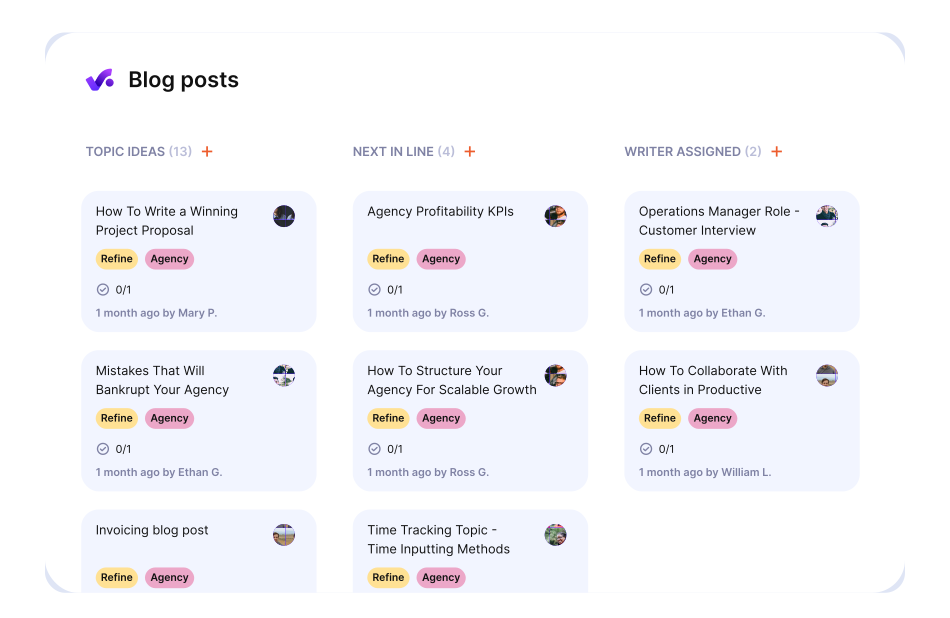
Productive is a services platform built with agencies in mind, pulling budgeting, resource planning, and profitability tracking into one place. If your main pain is knowing which projects and clients actually make money, this is a strong fit.
What I like most is how tightly it links resourcing to financials: rate cards, budgets, and forecasting sit alongside the resource planner, so staffing decisions carry their financial consequences with them. Client users are free, which agencies running lots of external stakeholders will appreciate.
Its reporting can take some setup to get exactly right, and the most useful financial features sit on the higher tiers.
Pricing:
Essential: $10 per user/month (billed annually, minimum 3 seats)
Professional: $25 per user/month (billed annually)
Ultimate: $33 per user/month (billed annually)
Kantata
)
Kantata is a PSA platform built for larger firms with complex, multi-project delivery and serious resourcing needs. It brings project management, resource planning, time and expense, and financial management into one heavyweight system.
Its real strength is depth: enterprise-grade resource optimization and financial analytics that mid-to-large services firms can genuinely lean on for margin decisions. Firms with the patience to configure it well tend to get strong results.
That depth is also the catch. Implementation typically runs into months rather than weeks, the interface feels dated next to newer tools, and pricing is quote-based, so budgeting takes a sales conversation.
Pricing:
Pricing available on request
Rocketlane
)
Rocketlane is built for client onboarding and implementation teams that want a polished, client-facing delivery experience. Its shared customer portals and structured onboarding flows make it popular with SaaS implementation and services groups.
The client experience is where it shines: branded portals give clients real-time visibility into progress, which cuts down the status-update back-and-forth and keeps everyone aligned during delivery. Resource and financial management arrive on the higher tiers.
Because its center of gravity is onboarding and delivery, firms that need deep, cross-portfolio financial management may find its scope narrower than a full PSA.
Pricing:
Essential: $19 per team member/month (billed annually, minimum 5)
Standard: $49 per team member/month (billed annually)
Premium: $69 per team member/month (billed annually)
Enterprise: $99 per team member/month (billed annually)
BigTime
)
BigTime is a finance-first PSA platform popular with accounting, consulting, and architecture and engineering firms. It builds time tracking, billing, and reporting around the general ledger rather than around task boards.
Its strongest card is accounting integration: a bi-directional QuickBooks sync keeps project data and financials aligned, which matters a lot for firms where billing accuracy drives cash flow. Time-to-invoice tends to drop noticeably once it is in place.
The breadth means a learning curve for teams coming from simpler tools, and only the Essentials starting price is published, with higher tiers quoted on request.
Pricing:
Essentials: $20 per user/month (starting price)
Advanced: Pricing available on request
Premier: Pricing available on request
Enterprise: Pricing available on request
Wrike
)
Wrike is a flexible, highly configurable project management platform used across large, cross-functional teams. It leans into custom workflows, multiple project views, and automation.
Its strength is configurability: detailed approval workflows, Gantt and Kanban views, and rule-based automation let teams shape it around their processes. For complex, multi-team project management, it is genuinely capable.
The honest caveat for services firms is that Wrike was not built as a PSA. Billing, invoicing, and project profitability are not core strengths, so finance-led teams will feel the gap.
Pricing:
Free: $0
Team: $10 per user/month (billed annually)
Business: $25 per user/month (billed annually)
Pinnacle: Pricing available on request
Apex: Pricing available on request
ClickUp
)
ClickUp is a customizable all-in-one work platform that packs tasks, docs, dashboards, and automations into one workspace. It is popular with teams that want to tailor nearly everything and start on a free plan.
Its strength is flexibility: many ways to view work, native time tracking, and a generous free tier make it easy to adopt across different teams. For teams that love to configure, there is a lot to like.
That flexibility can also mean setup overhead, and its client-work financials, budgeting, and profitability are lighter than a purpose-built PSA offers.
Pricing:
Free Forever: $0
Unlimited: $7 per user/month (billed annually)
Business: $12 per user/month (billed annually)
Enterprise: Pricing available on request
Asana
)
Asana is a widely used work management tool known for clean design and strong workflow automation. It helps teams organize tasks, automate routine steps, and track goals across projects.
Its strength is usability: an intuitive interface, timeline and board views, and goal tracking make it easy for teams to adopt and stay aligned. For coordinating work across departments, it is hard to beat on polish.
For client-services work, though, the gaps show. Native time tracking only lands on its higher-priced tiers, and billing and profitability tracking are not part of the core platform, so services firms usually end up adding tools.
Pricing:
Personal: $0 (for up to 2 users)
Starter: $10.99 per user/month (billed annually)
Advanced: $24.99 per user/month (billed annually)
Enterprise: Pricing available on request
AI workflow automation vs. traditional automation
The word "automation" gets stretched to cover two very different things, and knowing the difference changes how you evaluate these tools.
Traditional automation is rules-based: if a task moves to "done," notify the owner; when a date changes, shift the dependent tasks. It is reliable and useful, but it only ever does exactly what you tell it. You still make every judgment call yourself.
AI automation reaches into the judgment layer. Instead of nudging a task, it drafts the whole project plan from a brief, flags who is about to be overbooked next month, or forecasts whether a project is trending toward a thin margin. It turns scattered inputs into a decision you can act on.
This is where a platform built for client work pulls ahead. TeamworkAI features like the AI Project Wizard, AI Smart Scheduler, and AI Forecaster understand the context of billable hours, budgets, and utilization, because that context lives in the same platform. AI that is bolted onto a generic task manager does not have that financial picture to reason from, so its suggestions stay surface-level.
Why Teamwork.com stands out for client work
Every tool here can manage projects. The real question is whether it manages the reality of client projects, where scope shifts, budgets matter, and profitability decides whether the work was worth doing.
That is the line I care about most. Generic project managers like Asana, ClickUp, and Wrike are excellent at coordinating tasks, but they leave billing, utilization, and margin to other tools. For professional services firms, that gap is the whole ballgame. PSA-native options like Scoro, Kantata, and BigTime handle the financials well, though several ask for long implementations or enterprise budgets before they pay off.
Teamwork.com sits in the middle on purpose: the financial depth services firms need, without the enterprise weight. Projects, time, budgets, resourcing, and client collaboration run as one connected system, with AI where it saves real admin time. One of the reasons we built it this way is that I lived the alternative, running client work across disconnected tools and paying for it in lost margin and late nights.
If you are leaving Accelo because your tools stopped keeping up with your client work, that is exactly the gap we set out to close.
)
)
)
)
)
)
)